 USD / Language


How to Download AliExpress Images & Videos in One Click (2026 Guide)
If you sell online, do dropshipping, or research products on AliExpress, you’ve probably faced this problem:
You can’t download product images in bulk
Videos are hard to save
Review images require paid tools
Quality is often reduced
In this guide, you’ll learn how to download AliExpress images and videos in one click, including main images, variation images, description images, review images, and videos, with maximum available quality.
Why Downloading AliExpress Images Matters
High-quality product images are essential for:
Dropshipping stores (Shopify, WooCommerce, TikTok Shop)
Product research and comparison
Advertising creatives (Facebook, Google, TikTok Ads)
Market analysis and price tracking
Manually saving images is slow and inefficient. That’s why professional sellers rely on AliExpress image downloader extensions.
Common Problems with AliExpress Image Downloading
Many sellers encounter the same limitations:
Right-click saving doesn’t work on all images
Variation (SKU) images are hard to collect
Description images are scattered and messy
Review images are often locked behind paid tools
Videos can’t be downloaded at all
This is where a specialized tool becomes necessary.
The Best Way to Download AliExpress Images & Videos
The most efficient solution is using a browser extension designed specifically for AliExpress.
AliPrice: All-in-One AliExpress Downloader
AliPrice allows you to download AliExpress images and videos with one click, without watermarks and without complicated setup.
What You Can Download with AliPrice
Main product images
SKU / variation images
Description (detail page) images
Product videos
Review images (buyer photos & videos)
All downloads are saved in the best possible quality.
Key Features That Make AliPrice Stand Out
One-Click Download
Download images and videos directly from the product page — no copying links, no manual work.
Batch Download & ZIP Export
Save dozens of images at once and export them as a ZIP file.
Review Image Download (Free)
Many tools charge for downloading review images.
With AliPrice, this feature is completely free.
Works Beyond AliExpress
AliPrice also supports:
Alibaba
1688
Taobao
Amazon (for image search & research)
How to Download AliExpress Images with AliPrice (3 Steps)
Install the AliPrice browser extension
Open any AliExpress product page
Click the download button next to images or videos
That’s it. No account required.
More Than a Downloader: Built for Sellers
AliPrice is not just an image downloader. It’s a complete e-commerce research toolkit.
Advanced Tools for Serious Sellers
Search by Image (find the same product on 1688 or Taobao)
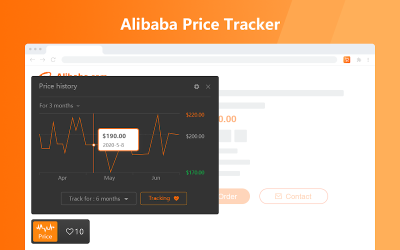
Price History (detect fake discounts)
Currency Converter
Screenshot & Page Translation
Export products, reviews, SKUs & carts to Excel
Shipping fee checker & logistics tracking
These features save hours of manual work every week.
AliPrice vs Other AliExpress Downloaders
Compared to many AliExpress downloader extensions:
AliPrice offers more features for free
Higher image and video quality
Supports more platforms
Designed specifically for sellers and researchers
It’s a practical choice for anyone who works with AliExpress data regularly.
Is AliPrice Safe and Legal to Use?
AliPrice does not modify AliExpress content and does not require login credentials.
It simply helps users download publicly available data more efficiently.
AliPrice is not affiliated with Alibaba Group or AliExpress.
Final Thoughts
If you’re looking for a reliable way to:
Download AliExpress images
Save AliExpress videos
Collect review images
Speed up product research
AliPrice is one of the most powerful tools available in 2026.
Install it once, and you’ll never go back to manual downloading.
#AliExpress image downloader #Download AliExpress images #AliExpress video downloader #AliSave alternative #AliExpress review image download #AliExpress product image downloader









Log in or sign up to post a question